Check Template For Unsupported Features And Errors
If you are unsure whether your output appears exactly as you expect or there is content missing from your output, it may be that you are using a feature that is unsupported in Fluent.
As of version 26, there is now an easy way to determine if your template is using unsupported features or if there are specific warnings/errors in your template design. Using the Check Template feature, you can now verify your template without running output.
Check Template Ribbon Button
In the Fluent ribbon, there is a Check Template dropdown that will allow you to verify your template for a specific output format.
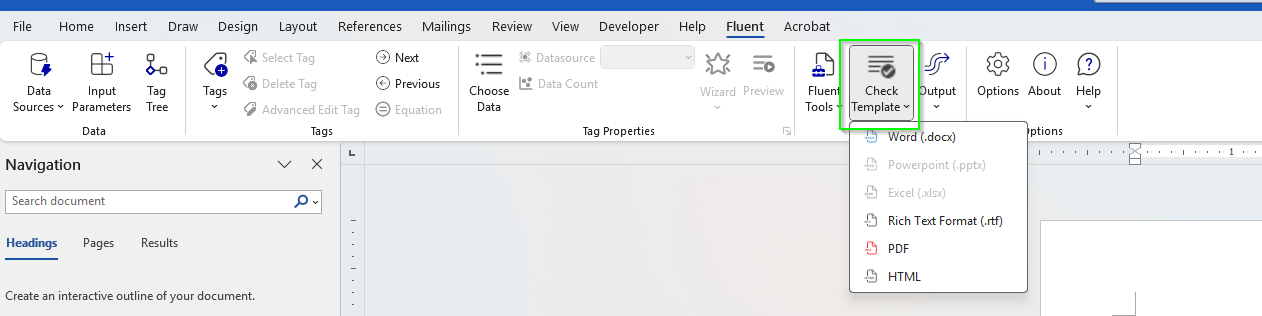
When you run this, the Fluent Verify side pane will appear and notify you of any unsupported office features, fluent warnings or fluent errors that your current template may possess.
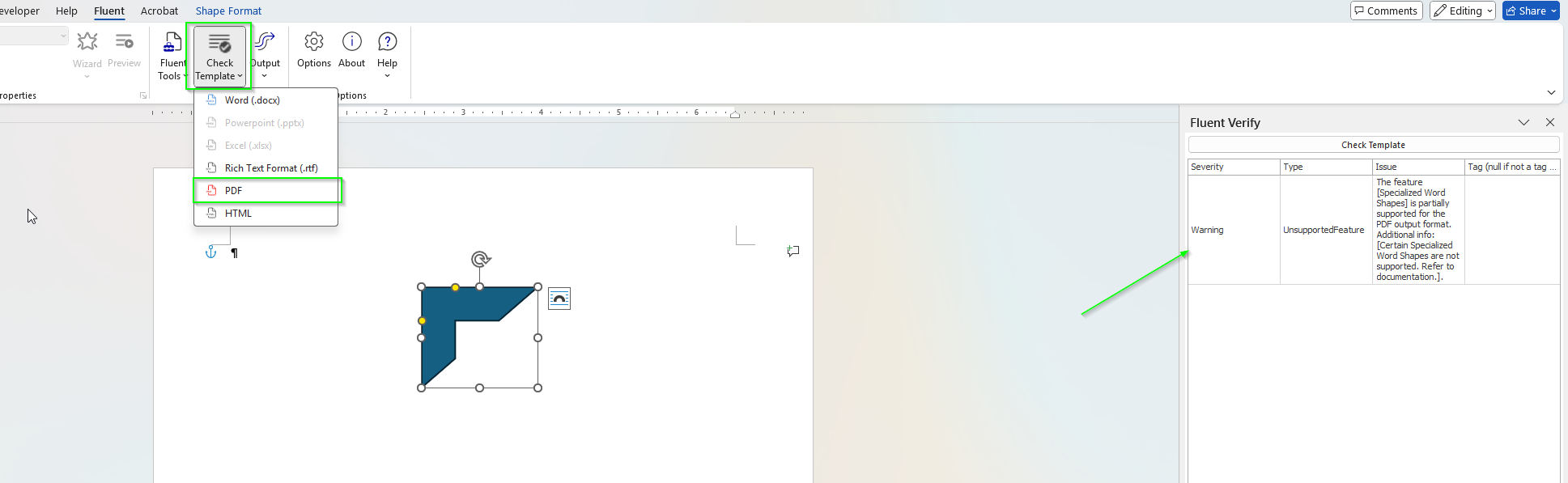
This will allow you to see what is unsupported and make modifications without having to consume pages when running output. You can also click the Check Template button in the Fluent Verify panel to re-run Check Template for the same output format.
Check Template on Output
There is also the ability to always run Check Template when you run output. To enable this open the Options dialog in the Fluent ribbon and select the Error Handling tab. In here, check the box for Verify Report On Generation.
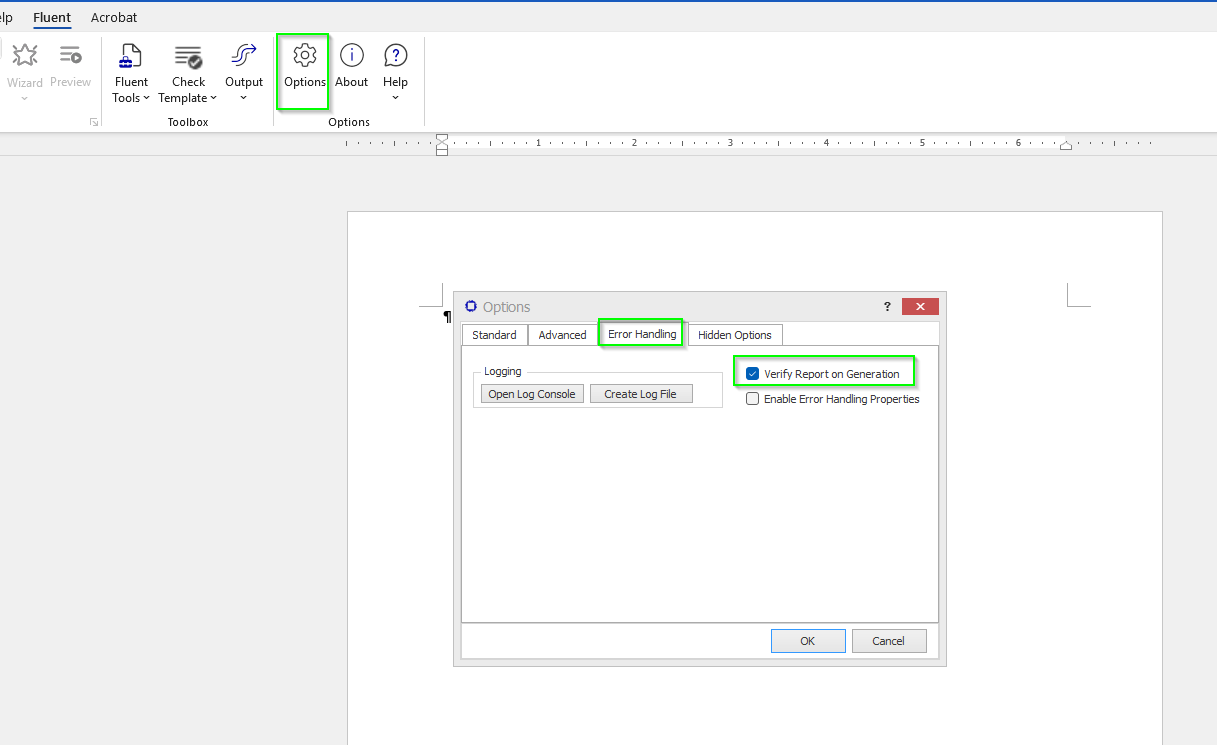
You may need to restart office after you enable this feature for it to be applied.
Once this is enabled, when you run output, it will always show the Fluent Verify side pane to notify you of any unsupported features or warnings/errors in your template.